
Adding Team Members
For Agency account (Tier3 - Tier5);
Tab: Agency Dashboard >> Team >> Invite Member
You can invite anyone as a team member for your Business to help you manage scheduling and generating posts, etc.
Go to your Agency Dashboard then select the Team tab at the left panel and click Invite Member.
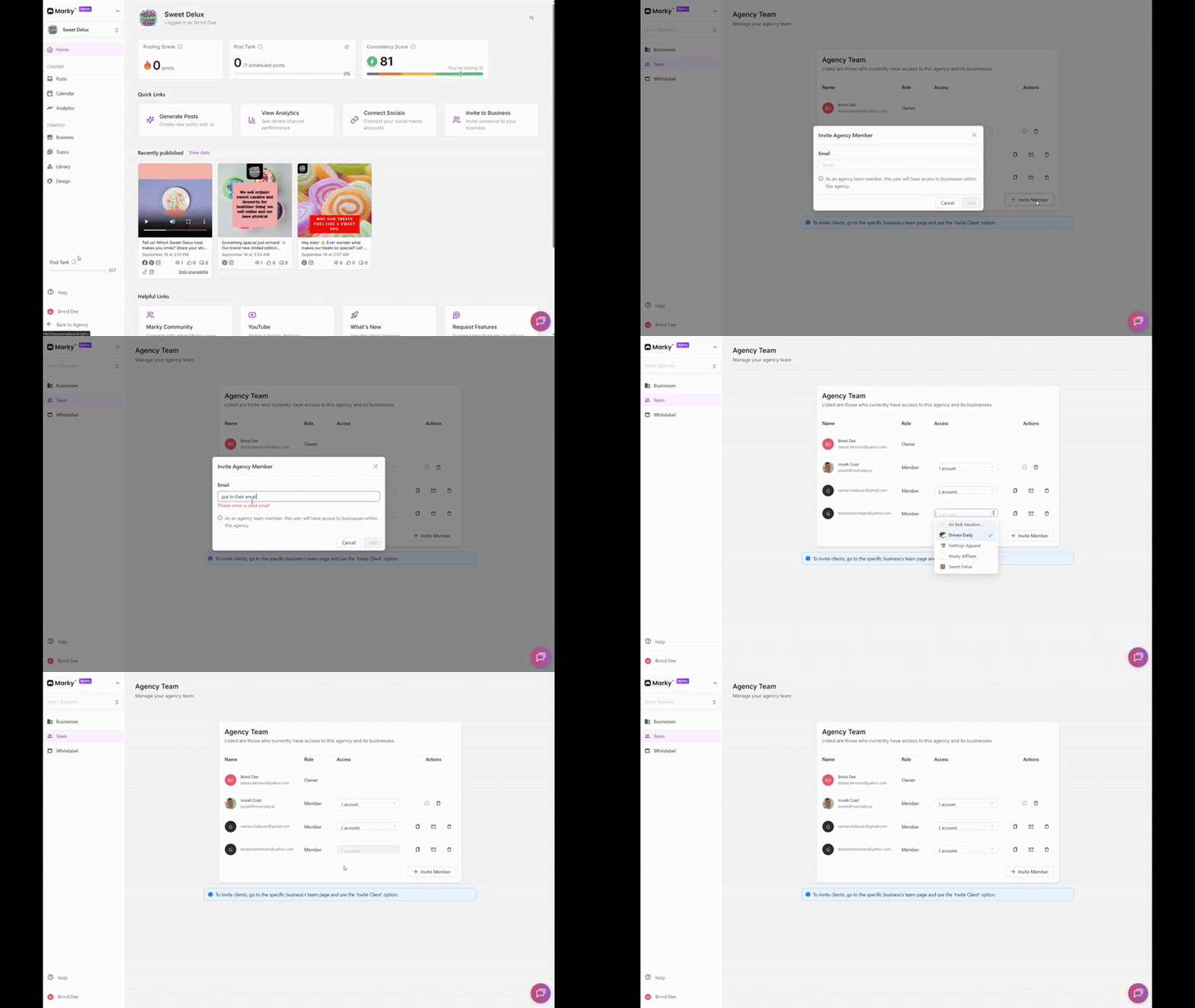
**Note: If the person you are adding has a Marky account already, the business will automatically be added to their account. No need to send the sign up link**
For Personal and Professional plans;
Tab: Business >> Team >> Invite Member
Go to the Business tab at the left panel then select the Team and click Invite Member.
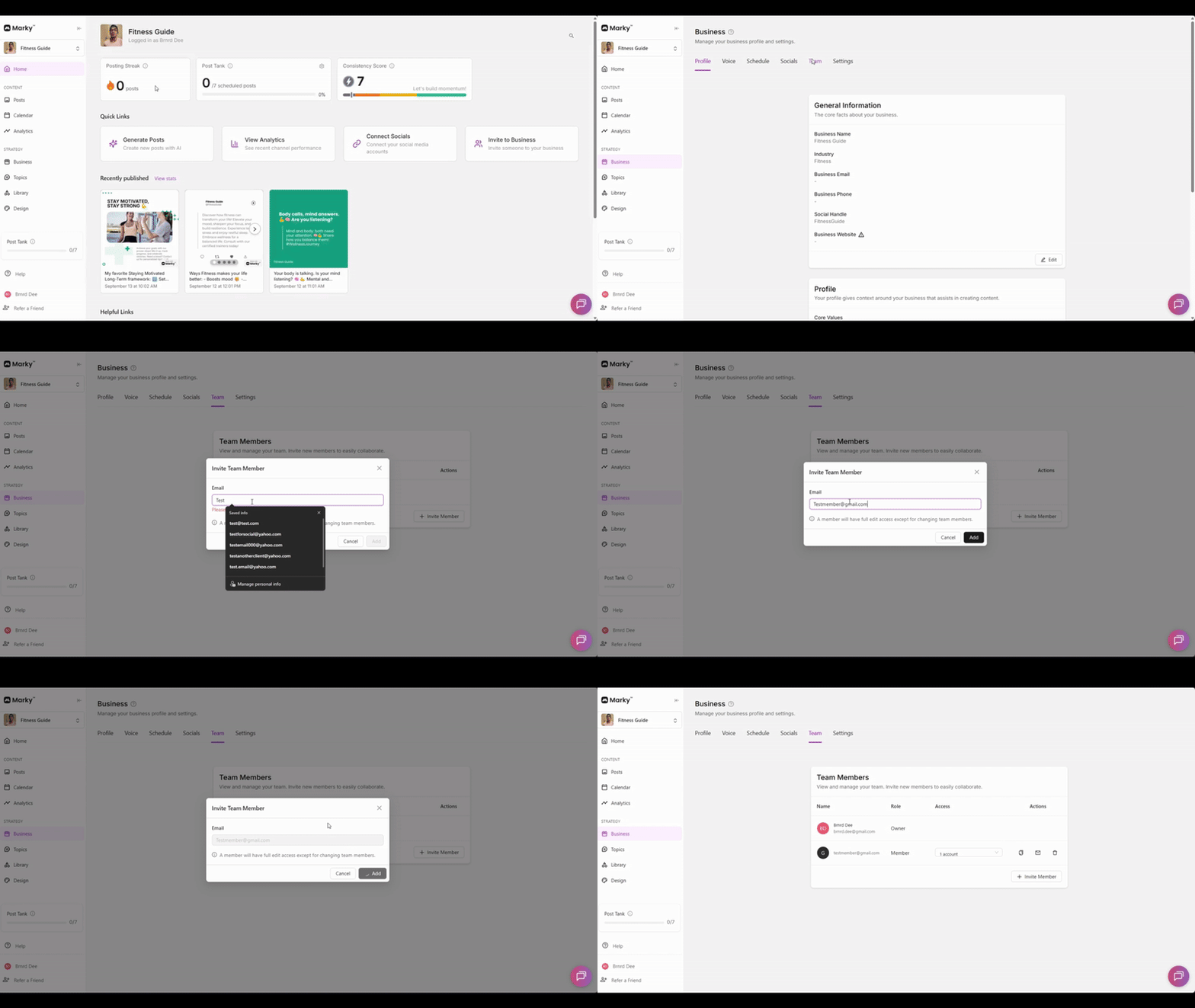
**Note: If the person you are adding has a Marky account already, the business will automatically be added to their account. No need to send the sign up link**