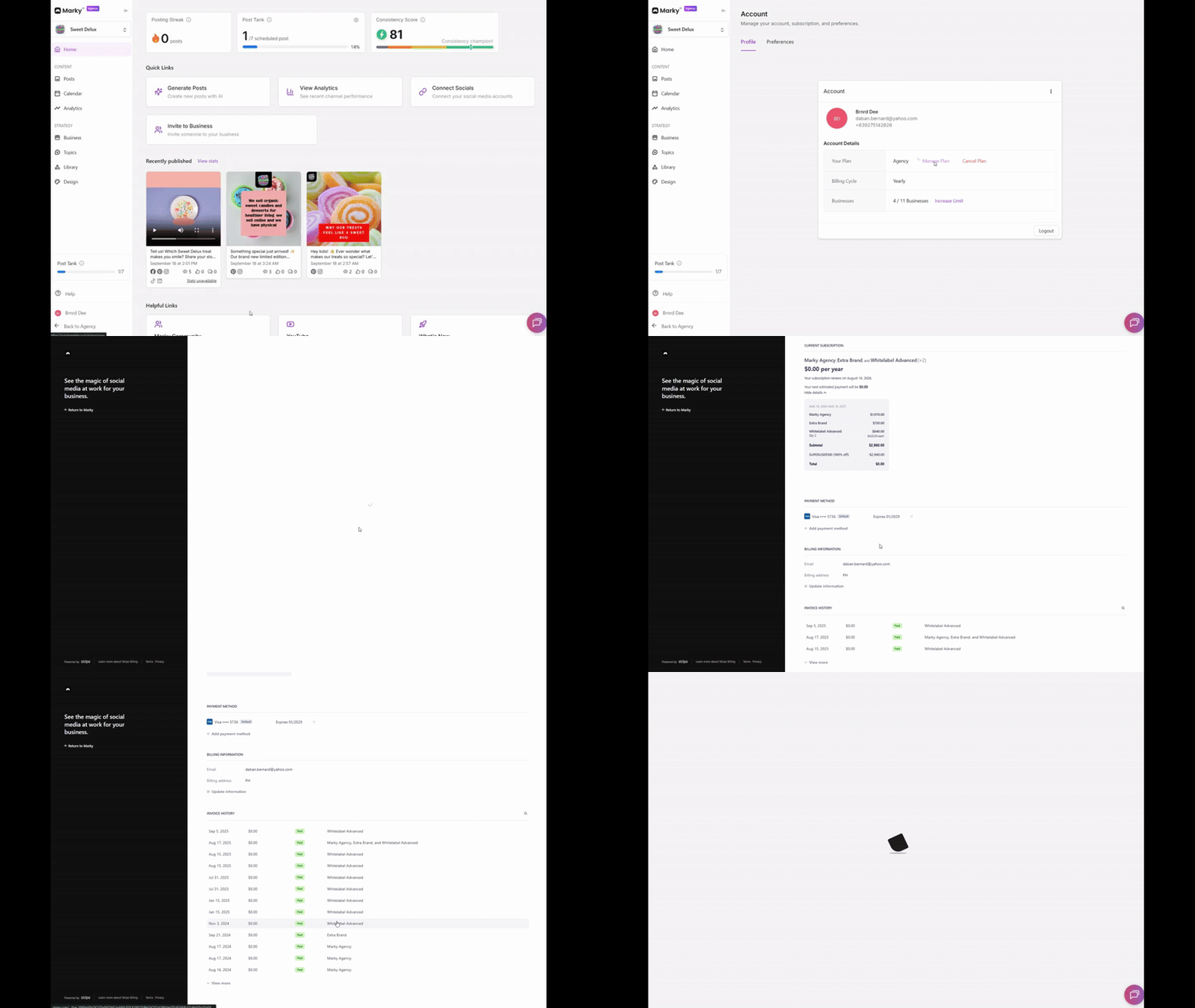
Marky lets you manage your subscription directly from your account. To view or update your plan, click your Account Name at the bottom of the dashboard, select Manage Account to open your profile, then choose Manage Plan to go to the billing page. There, you can change or cancel your plan, add or remove a payment method, and view or download invoices.
- Account Name — located at the bottom of the dashboard
- Manage Account — opens your account profile
- Manage Plan — routes to the Billing page
- In Billing, you can:
- Change or cancel plan
- Add/remove payment method
- View/download invoices