Updated Sept. 2025
Tab: Business >> Socials
To connect your social media accounts to Marky, go to the Business tab and select Socials. From there, click Connect and follow the prompts. You’ll be asked to log in to your social media account and allow permission to complete the integration.
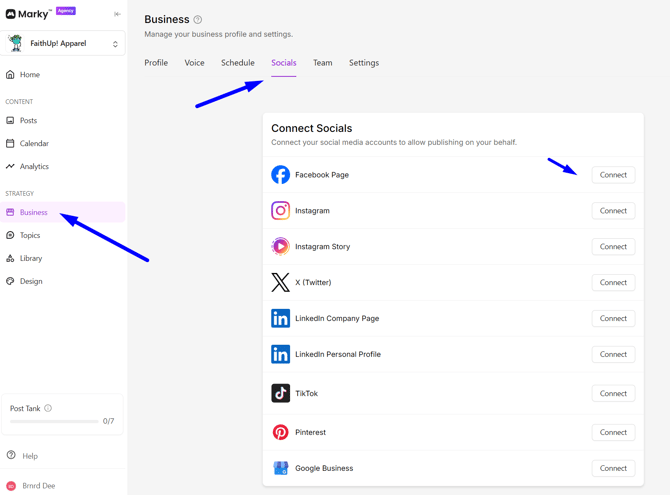
These are the social we currently support:
- Facebook Page
- Instagram Story
- X (Twitter)
- LinkedIn Company Page
- LinkedIn Personal Profile
- TikTok
- Google Business
Additional Settings Per Social:
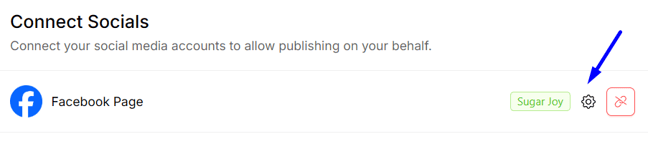
You will see a gear icon next to a social platform if additional customization options are available.
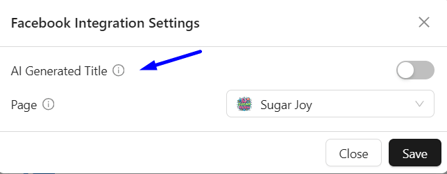
Facebook / LinkedIn Company Page / Pinterest / Google Business:
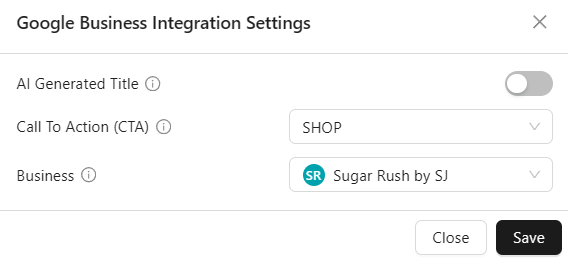
Has AI Generated Title: If enabled, you authorize AI to choose a title for the post based on the caption. If disabled, we will just use the first few words of the caption as the title.
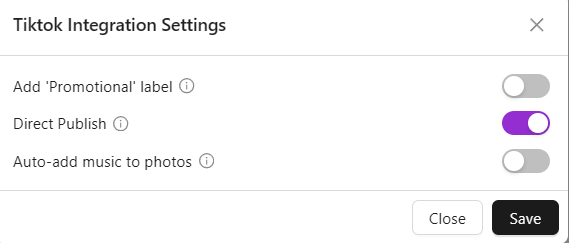
TikTok:
- Add ‘Promotional label’ This will add a Promotional label under each post. According to tiktok, this is required for brand promotional content and does not affect the distribution of your video. Although we leave it up to you to choose.
- Direct Publish If enabled, we directly post the content to your feed; if off, we upload content to TikTok drafts for you to complete the post using TikTok's editing flow.
- Auto-add music to photos If enabled, TikTok will automatically add recommended music to photos. You can choose to change the post's music in TikTok app after it's posted if desired. Note that we have no choice on what music gets chosen initially.
Google Business:
- Call To Action (CTA) Choose the CTA button that will appear on your Google Business posts.